I built an AI coding agent
7/30/2026I built an AI coding agent
So I built an AI coding agent. It's called Lunaris. You can check it out at https://getlunaris.dev
Why?
I've been using AI coding agents for a while now. Claude Code, Cursor, all that stuff. They're genuinely useful, don't get me wrong. But there's something that's been bothering me.
Everything sends your code to the cloud.
I get it. The models are better there. The latency is lower. But for work stuff, for side projects where I don't want to think about whether some prompt might accidentally leak credentials... it adds up. There's always that little voice in the back of my head going "is this okay to send?"
And the local options? They're either stripped down versions of the cloud ones, or they require a PhD in LM Studio configuration to get working right.
I wanted something that just works. On my machine. Without me having to think about it.
The problem with most local agents
Local models have come a long way. Ollama, llama.cpp, all that jazz. It's impressive tech. But here's the thing: a good coding agent isn't just about the model. It's about:
- How the agent reads your files
- How it runs your tests
- How it handles the 47 times it gets something wrong before getting it right
- How it knows when to ask you something vs just guessing
Most local agents treat these as afterthoughts. The model runs locally, everything else is bolted on.
What I actually built
Lunaris is a VS Code extension. It runs in your editor, uses your local Ollama instance by default, and your code never leaves your machine unless you explicitly turn on cloud models.
But the agent part. The part that actually reads your code, runs commands, and makes changes. That's the stuff I spent the most time on. Here's what I ended up with:
File changes are staged, not applied. The agent proposes changes, you see them in a tray, you can accept or reject each one individually before anything touches your disk. No more "oops, it rewrote my whole file" moments.
It can use a browser. Not a headless screenshot thing. An actual browser window it controls. Good for testing, good for filling out forms, good for checking if that React component actually looks right.
Voice input. Tap the mic, talk, it transcribes with Whisper locally. My favorite use case: lying on the couch, dictating a refactor, watching it happen on my laptop across the room.
Headless mode. I run it from the CLI too. Automated code reviews, bulk refactors, stuff that doesn't need a GUI. I call it Pulsar.
Deep Space Relay. This one's fun. Long-running task hits a blocker? It messages my phone. I can reply from anywhere and it keeps going. Streamed logs to my phone too, so I can watch it work while I'm making coffee.
Agent fleets. Instead of one agent doing everything, you can spin up multiple specialized agents. Give them different models, different instructions, have them delegate to each other. One handles database stuff, another for frontend, another for ops/infra. They report to a "Commander" agent that coordinates.
It writes itself (mostly)
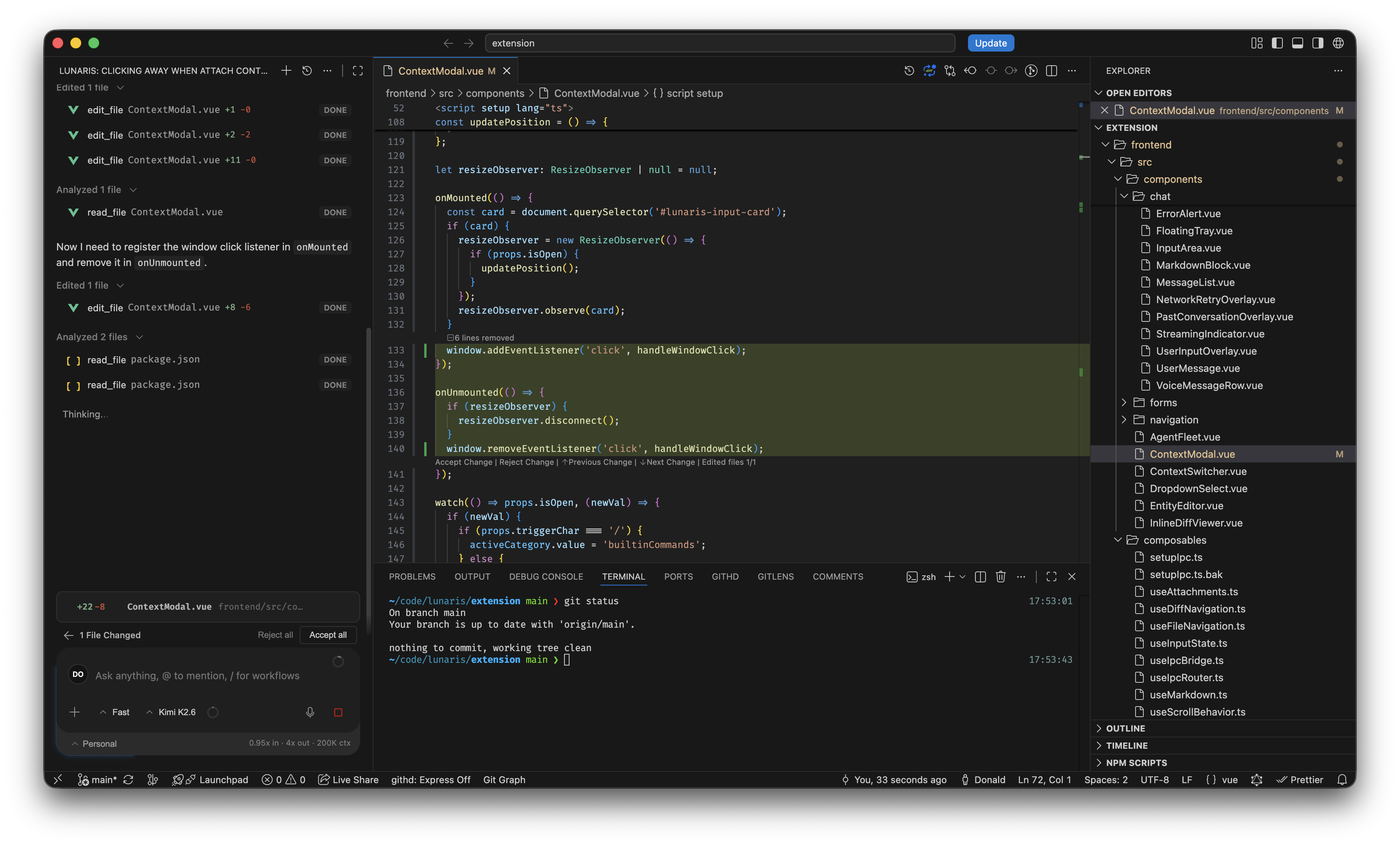
Here's the thing that surprised me while building this. The extension writes itself.
I still handle the inference engine and the core agent logic. That's the stuff I actually enjoy. But for the extension side of things? Lunaris does most of the heavy lifting. It reads the issues, writes the code, runs the tests, creates the PRs. I review and merge.
It's kind of wild watching it work on its own code. It finds bugs I would have missed. It refactors stuff I had been putting off. And it never complains about working late.
MCP support
One more thing. It supports MCP. You can connect it to your existing tools, your own servers, whatever you need. Installations live in your MCP settings, so there's nothing extra to configure.
Is it ready?
It's available. There's a waitlist for some of the fancier stuff (like the cloud model relay thing), but the core. Local agent, VS Code, headless mode. It's there.
The thing about building tools is you never really feel done. Every day I find something to fix, something to improve. But at some point you just have to put it out there.
If you want to try it: https://getlunaris.dev